Free Online Resume Builder
Select a resume layout to start building your professional resume.
Choose a Template
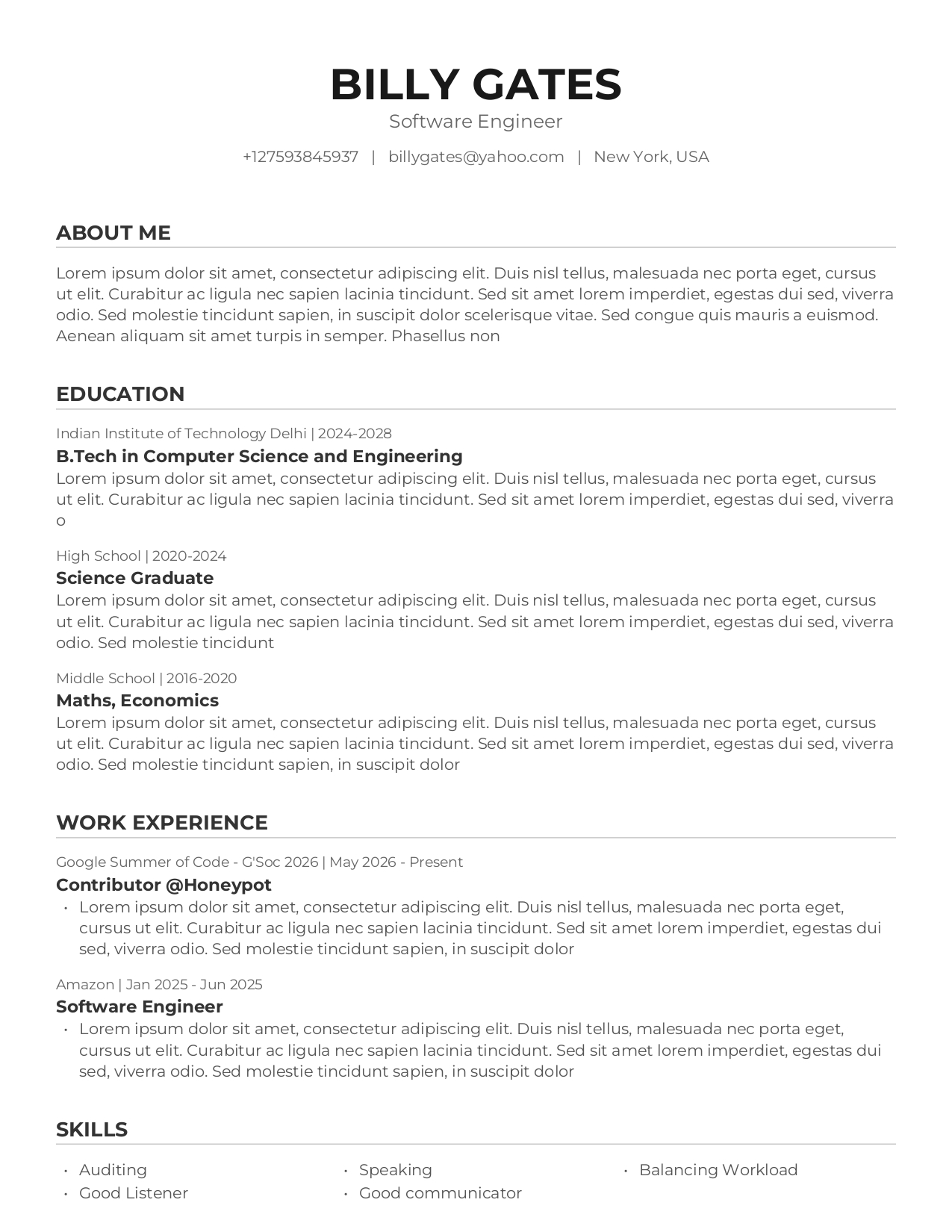
Professional Resume Template
ATS-friendly professional resume template ideal for students, freshers, internships, and corporate job applications.
Use Template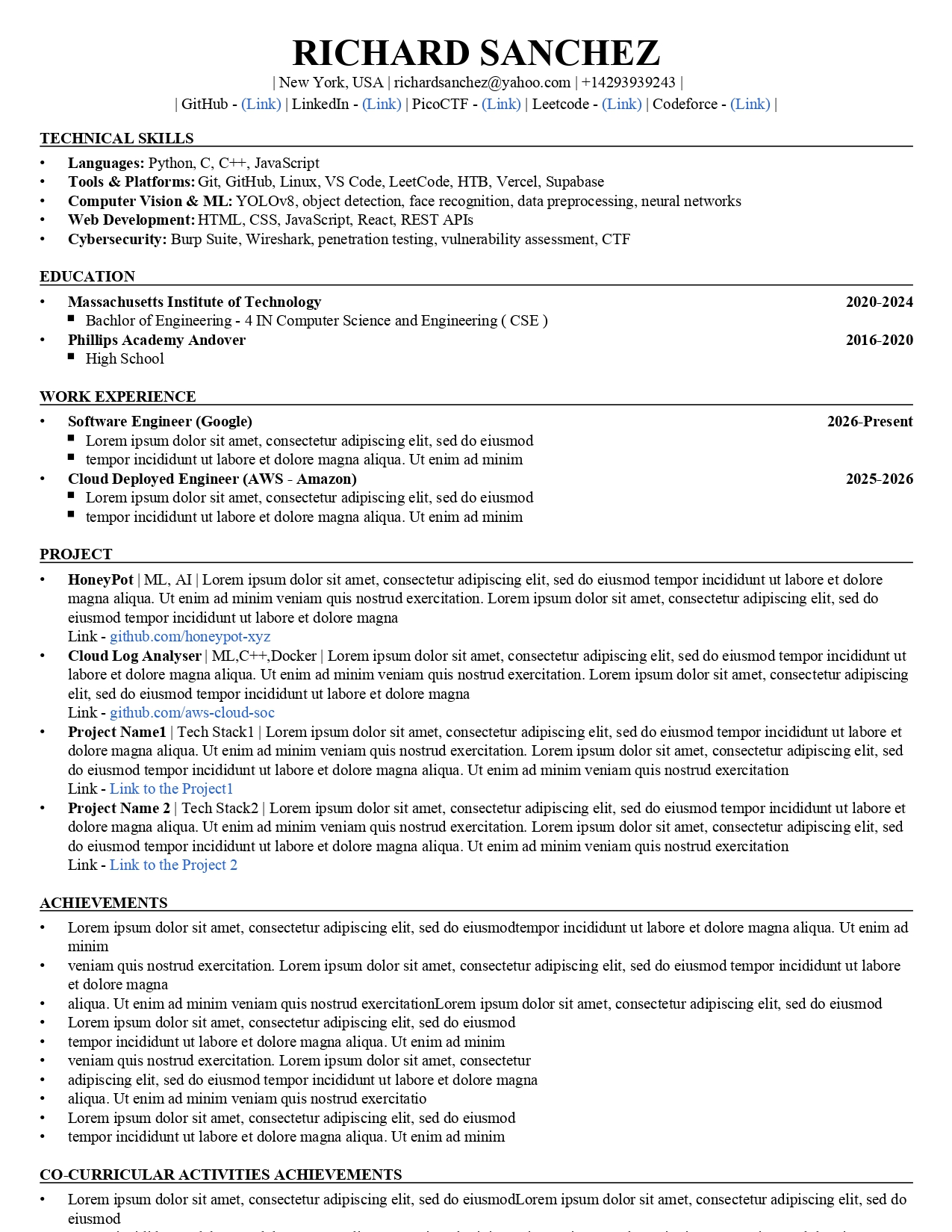
Technical Resume Template
Designed for software engineers, developers, cybersecurity professionals, and technical roles. ATS optimized format.
Use Template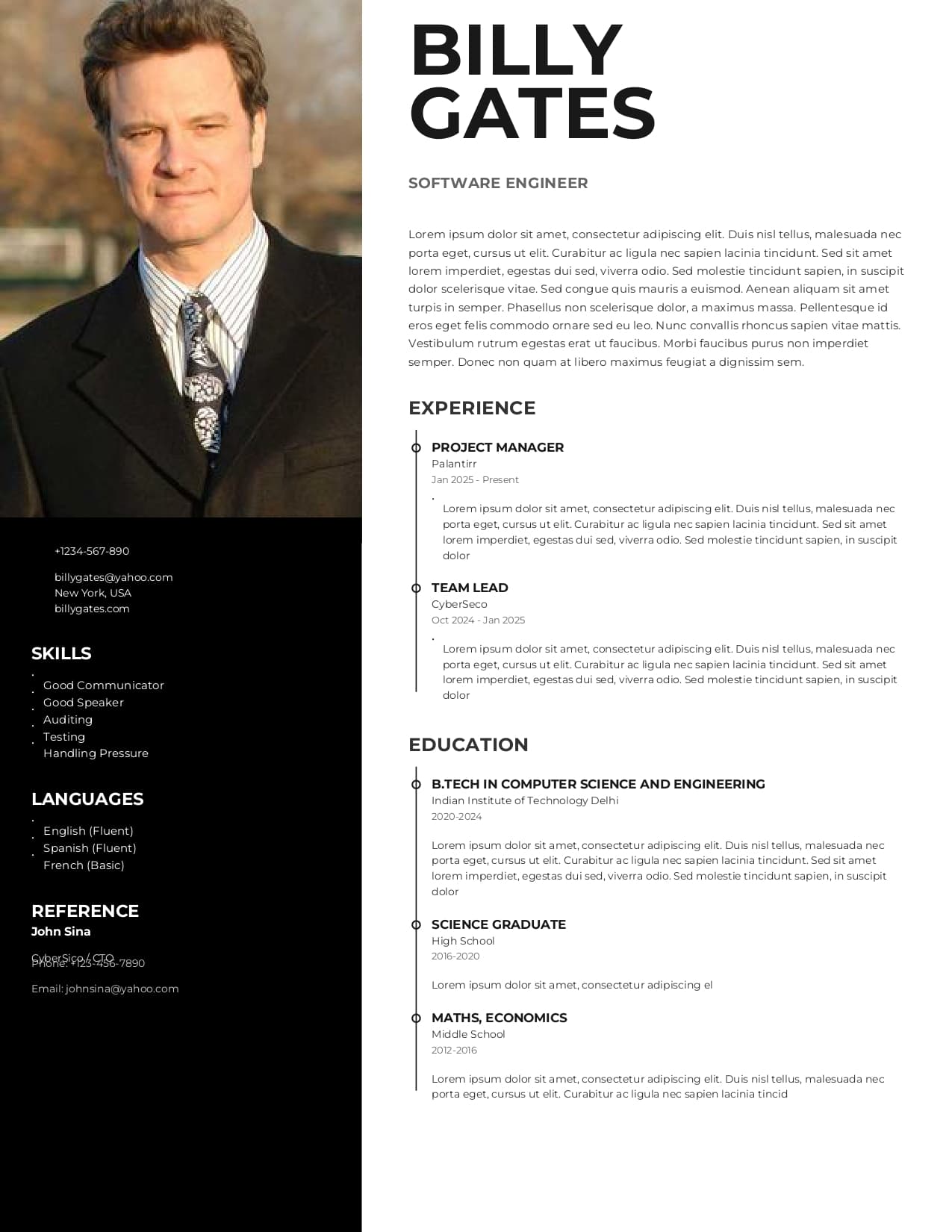
Modern Executive Resume
Modern two-column resume with profile photo and professional layout. Perfect for management, design, and leadership roles.
Use TemplateFree Online Resume Builder
Create a professional, ATS-friendly resume in minutes and download a print-ready PDF — completely free, no watermarks.
What Is an Online Resume Builder?
An online resume builder is a streamlined application designed to help job seekers create professional, perfectly formatted resumes without wrestling with complex word processors. Instead of starting from a blank page, you leverage pre-designed resume templates crafted specifically to highlight your career achievements.
A high-quality resume maker takes the guesswork out of formatting, ensuring your document looks polished and reads perfectly. Whether you need a simple chronological layout or a modern professional resume, our tool automatically aligns your text, manages margins, and exports a print-ready PDF that you can attach directly to your job applications.
How to Build a Professional Resume
Creating an impressive resume is completely frictionless with Draftly.
- 1
Select a Layout: Choose from our curated selection of professional, ATS-optimized templates.
- 2
Enter Contact Info: Add your name, email, phone number, and professional links like LinkedIn.
- 3
Detail Your Experience: Fill in your work history, education, and key achievements clearly.
- 4
List Your Skills: Highlight your technical and soft skills to pass keyword screenings.
- 5
Generate & Download: Preview the live document and download your high-resolution PDF.
Why Use Draftly's Resume Maker?
Our free resume builder is built to maximize your chances of getting hired.
- ✓
100% Free & No Watermarks: Download premium PDFs without hitting paywalls at checkout.
- ✓
ATS-Friendly Formats: Clean, semantic layouts that automated hiring systems can easily parse.
- ✓
Real-Time Live Preview: See exactly how your resume looks as you type, with zero lag.
- ✓
No Design Skills Needed: We handle all the typography, spacing, and alignment automatically.
- ✓
Local Autosave: Close your tab safely; your draft is saved locally in your browser.
What Makes an ATS-Friendly Resume?
Many employers use Applicant Tracking Systems (ATS) to filter resumes before a human ever reads them. A standard, optimized resume format ensures you pass the software screening:
Standard Sections
Clear headers like 'Experience' and 'Education' that software recognizes.
Keyword Rich
Including specific skills and tools mentioned directly in the job description.
Clean Formatting
Avoiding complex multi-column designs that break parsing algorithms.
Standard Fonts
Using highly readable, professional typography across the entire document.
Core Features
Frequently Asked Questions
An online resume builder is a tool that helps you create a professional, well-formatted resume quickly. It provides pre-designed templates where you simply fill in your work experience, education, and skills.
Beyond resumes, Draftly offers free tools for your entire academic and professional journey: